
PHOTO
RRP: $1099 / $1799
REVIEWED BY BEN ALLAN
With a bit of a resurgence in handheld/portable gaming going on in recent times, our tech industry overlords have been hefting increasing amounts of attention and modern grunt into the space in an attempt to ride the wave.
Late last year the burgeoning line-up of very serious gaming devices you can fit in a bum-bag (just) was joined by the somewhat awkwardly-monikered ROG XBox Ally, developed by PC manufacturer Asus in partnership with Microsoft.
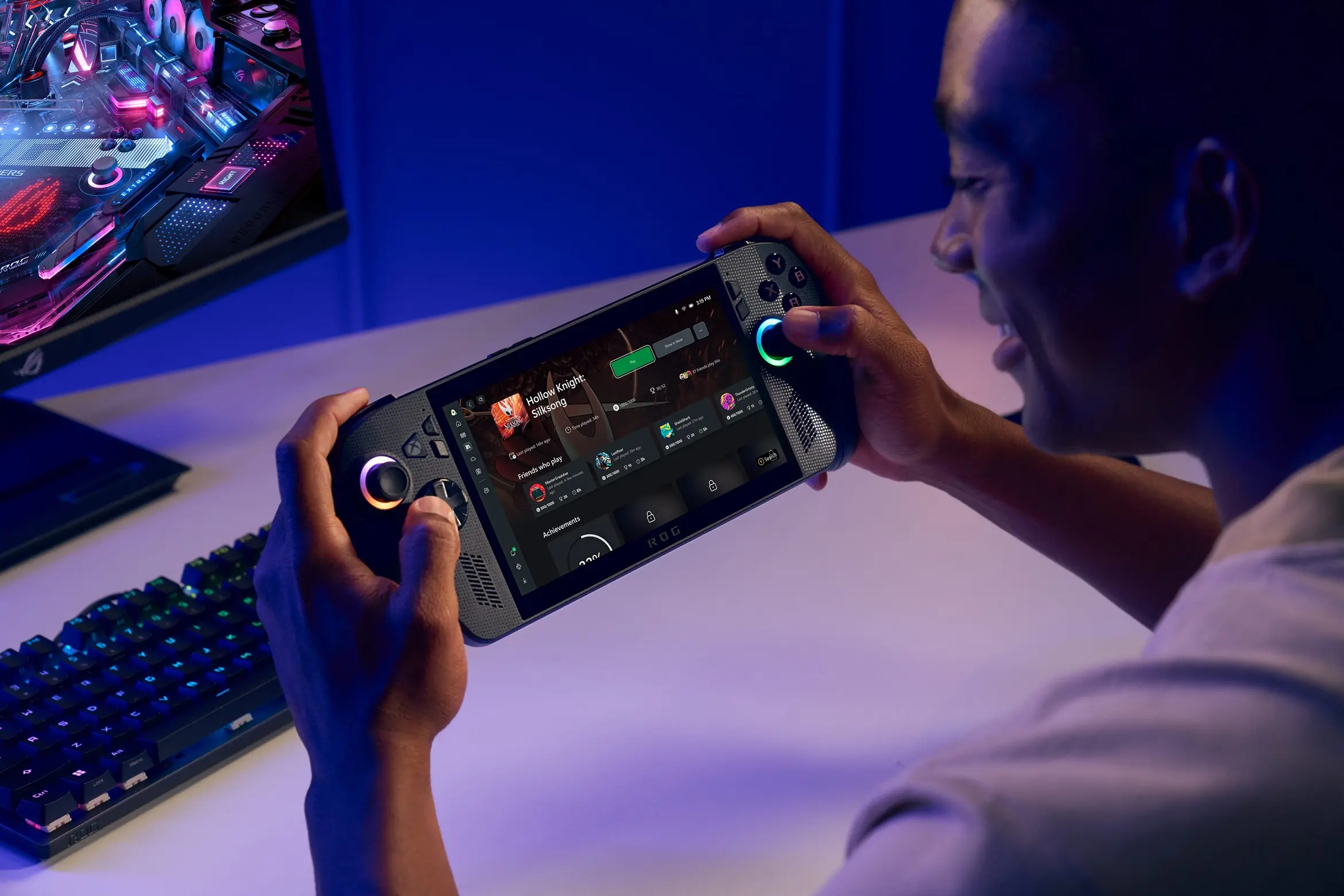
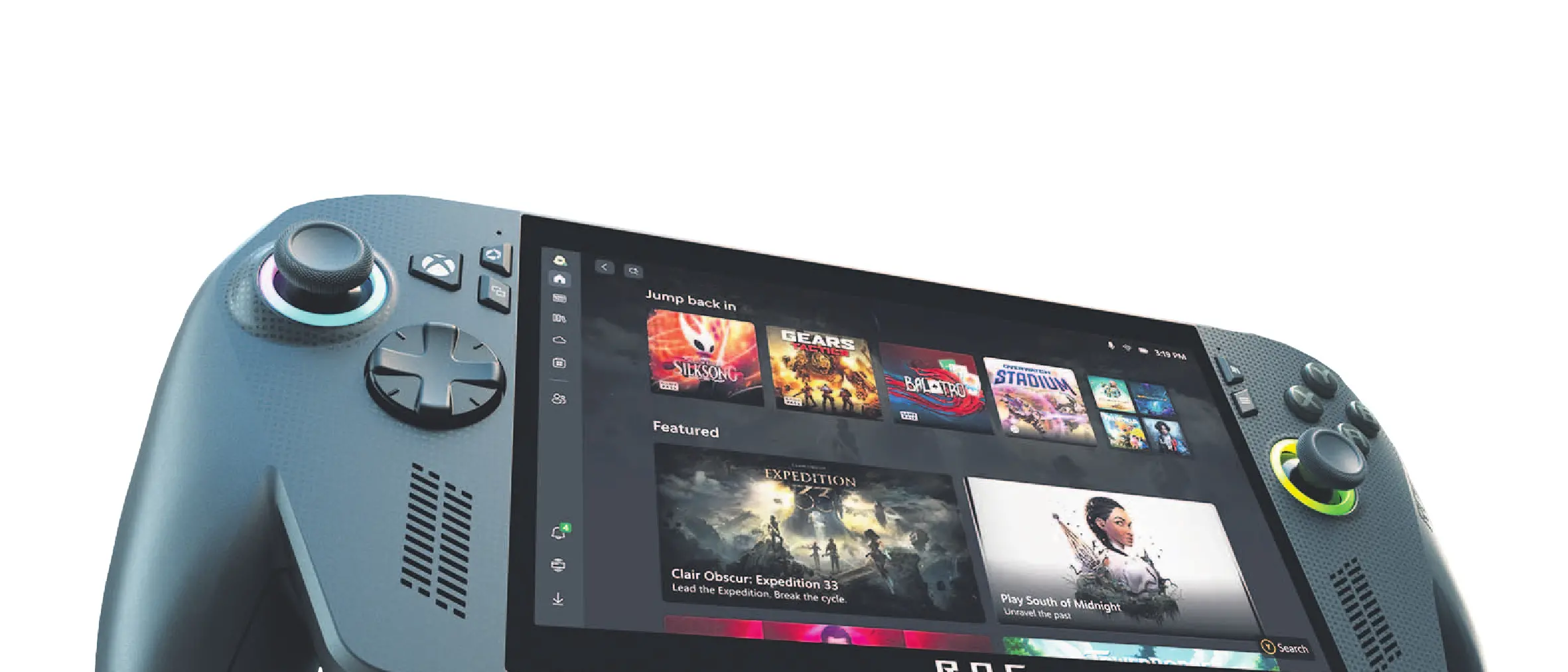
A successor to the Asus ROG Ally of 2023 (a handheld PC that competed with the Steamdeck) the new device’s point of difference / sales pitch is not just a mere specifications upgrade, but to lean heavily on that added XBox brand. That starts with the physical design of the console, which brings to mind an XBox controller snapped into left and right halves with a 7-inch LCD screen stretched between them.
Things are a little more complicated than this, of course, as packed in behind said screen within a fairly tight 2.5cm or so are an 80Wh battery, 24GB of RAM and a 1TB hard drive (for the higher-end Ally X model used for our review; the cheaper Ally offers 16GB and 512GB respectively), as well as an AMD Ryzen AI Z2 Extreme CPU (for the Ally X; it’s a Z2 A for the Ally) and all the clever cooling system business required to stop the thing melting in your hands.
It’s quite a lot of grunt to fit into a small package, but the Ally X comes in at just 715g and sits comfortably and not weightily in your grasp. It’s very comfortable to use and hasn’t proved a wrist-strainer for me at all, even over long gaming sessions, though I did sometimes find myself having to stop every so often and shake some slight pins and needles out of each of my little fingers - but it’s entirely possible that this is down to the peculiarities of my own (maybe it’s weird?) grip.
XBox-style twin sticks (with natty adjustable gaming-PC-style LEDs at their base), double trigger/bumpers and the classic "X, Y, A, B" button arrangement are supplemented by "M1 and M2" buttons on the back of the console within range of your middle fingers.
The 1920×1080 screen offers 1080p and crisp visuals and whatever magic anti-reflective coating has been placed on it seems to do a good job, as visibility is good even outdoors in the sun, but because you operate the device through the touchscreen a lot, you do end up having to wipe finger smudges off frequently before getting properly into a session.
Coming to the Ally as someone who has been predominantly a console gamer for a long time, my admittedly hazy mental concept of the Ally user experience pre-use - though one I think it would be fair to say is encouraged by its marketing - was that it was something of a handheld XBox, and while in some ways this is true, in other ways it isn’t.
The Ally is the first device to offer a Windows mode that takes you directly into the XBox app - which provides a console-like operating experience - but should definitely be thought of as a handheld PC, with all that entails.
That means plenty of advantages - the Ally X’s "Armoury Crate" software, brought up easily at any time via its own dedicated button, makes it very easy to jump from your XBox library to PC games via Ally-supported apps Steam, Epic Games, EA, Ubisoft, Battle.net and GOG, and if you want to jump into an internet browser and do some surfing or fire up Netflix, you absolutely can (this is where I really took particular note of the Ally’s very decent in-built speakers).
But it also means getting your head around software installations and updates, performance adjustments, the odd crash, and navigating around between the Windows, Armoury Crate and XBox operating systems. It’s doubtless all fairly standard stuff for more PC-oriented users, but there is a wee bit of a learning curve. Once you’re familiarised with the device though, it does ultimately make "pick up and play" simple.
While the promise of the Ally is "play your XBox games on the go", that’s not exactly how it works. The Ally runs the PC versions of XBox games. This makes zero practical difference for any game with Microsoft’s "Play Anywhere" label, for which save game and purchased content is carried seamlessly between platforms, and there are plenty of these - but not every game is one.
This meant when I installed Destiny 2 on the Ally for example, I didn’t have access to the expansion content I have purchased for it on XBox, which would have to be purchased again for the PC version. There’s a workaround here though in that you can use the Ally with your actual XBox console’s Remote Play function (where unsurprisingly it performs well), thus enabling you to play the actual XBox-native versions of games via the device promoted as if it’s a portable XBox, which nonetheless technically can’t play XBox-native games.
Confused yet? Blame the weird world of software rights management for making things this complicated, but at least a way to take advantage of your full existing XBox game library does exist - so long as you’ve got a decent WiFi connection.
I’m not a frame-rate obsessive, but on the performance side of things any XBox game I’ve tried has run as well as it would on my television, and high-ish end PC games also seemed to chug along well. A more frequent impingement on the gaming experience is trying to play something not well optimised for handhelds, but pre-game warnings tend to let you know what you are in for, the touchscreen is there and you can easily connect devices like a keyboard or mouse via Bluetooth, so this is rarely too detrimental. You can also call up a touchscreen keyboard overlay at any time in a pinch with a button combo.
Battery life is expectedly dependent on the sort of strain you’re placing the Ally under, but I got about three solid hours on a full charge with more resource-heavy first-person shooters, and more like five sticking to smaller-scale stuff like Minecraft and Hades.
The new Ally then offers a versatile, powerful and fantastically comfortable portable gaming experience, and it’s certainly a great little device to have around once you’ve worked out some wrinkles, so the question for most potential buyers I suspect will be the not-insignificant price tag, even of the lower-spec model. It’s definitely a cool bit of kit, but a hefty chunk of change to drop on what for most people is likely to be a secondary gaming device.
If you’re a serious (and cashed-up) gamer - especially one with an existing XBox library - who can see themself spending significant time gaming out of (or around) your house though, it’s well worth a look.
• The ODT was supplied an ROG Xbox Ally X for review.